
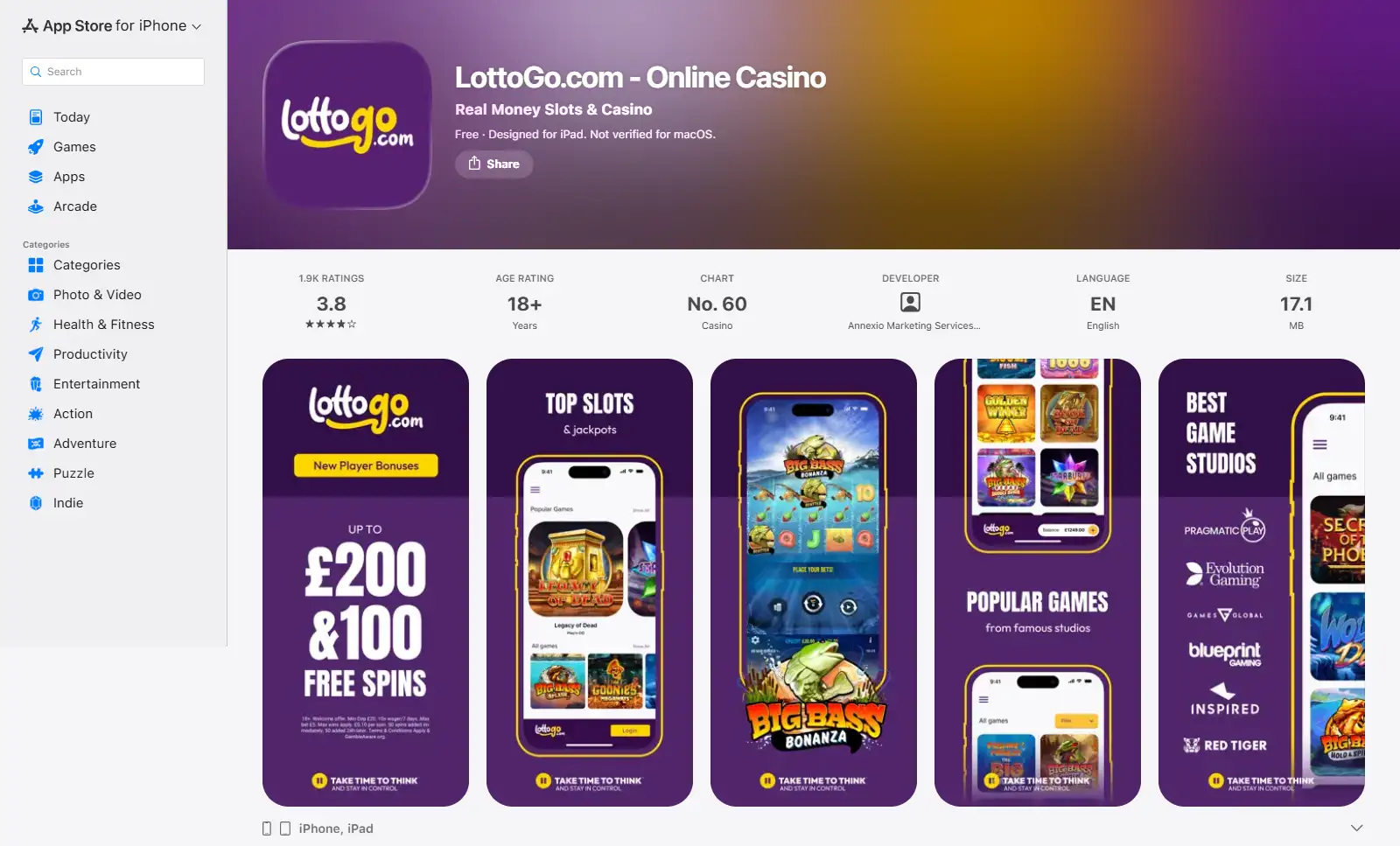
LottoGo has a current iPhone and iPad app in the GB Apple App Store, while the LottoGo website also provides a browser route on mobile devices. The Apple listing names Annexio Marketing Services (UK) Limited as the developer, lists English as the language and carries an 18+ age rating. For an Apple user, the practical choice is an installed app or the website in a browser. For Android, use the LottoGo website unless LottoGo itself links to an official casino app in a recognised marketplace; unofficial APK downloads should be avoided.
LottoGo Mobile Performance: iOS App and Browser Features
| Route | What the route provides | Best fit |
|---|---|---|
| iPhone/iPad app | Current GB Apple App Store listing for LottoGo.com – Online Casino | Users who want an installed iOS experience and App Store managed updates |
| Mobile browser | Access through the LottoGo website on a phone browser | Users who prefer no download or use a device without the Apple app |
The distinction is useful because both routes can be evaluated by task rather than by marketing language. If you mainly want to browse casino games, manage the account and reach payment controls, the question is whether installing an app adds enough convenience for you. If you only play occasionally or switch devices, a browser avoids another installation while keeping the account tied to the website rather than to one device.
The iOS app and the mobile website can differ by device, software version and connection quality. The Apple app gives iPhone and iPad users an installed route, while a mobile browser avoids an installation and can be used for routine account access through the LottoGo website.
iPhone and iPad app
What the current GB App Store lists for LottoGo
The GB Apple App Store lists “LottoGo.com – Online Casino” for iPhone and iPad. It is in English, carries an 18+ age rating and describes real-money slots, scratchcards, instant wins, account features and payments. The listing is current and includes a recent version history.
The current compatibility details require iOS 14.0 or later on iPhone and iPadOS 14.0 or later on iPad. Apple also lists the app for some additional Apple devices under their own operating-system requirements. For most mobile customers, the relevant distinction remains straightforward: the App Store provides an installed Apple route, while the LottoGo website provides a browser route without an app installation.
The same listing names Visa and Mastercard debit cards plus Apple Pay among supported payment methods and describes identity verification as part of the account journey. That means the iOS app is intended for account activity as well as launching games. The LottoGo payment methods page covers the banking options in more detail.
The Apple listing also contains promotional language about speed and security, but those claims do not set a fixed performance standard for every device or transaction. The concrete app details are its Apple-device availability, developer, language, age rating, game categories, payment methods and account features.
Apple listing: LottoGo.com – Online Casino.
No-download option
The mobile browser is the simpler route when you do not want an installation
The LottoGo website can be opened in a mobile browser, which gives users a no-download route for account access and game navigation. It is useful for people who do not want another installed gambling app or who use a device outside the Apple app listing.
The main browser advantage is that nothing needs to be installed or updated through an app marketplace. A user can open LottoGo, sign in, navigate the available product areas and close the browser when finished. This is particularly relevant on devices that are not covered by the current Apple listing.
The trade-off is that a browser behaves like a website. Sessions, browser permissions, saved login behaviour and home-screen shortcuts depend on your device and browser settings. Those differences are not reasons to label the route inferior. They simply mean the convenience features are controlled partly by Safari, Chrome or another browser rather than entirely by an installed app.
Game access
Choose the route around the games you actually use
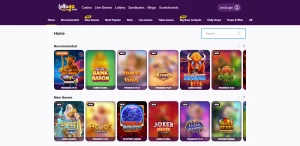
LottoGo’s casino range includes slots, live casino, table games, scratchcards and other instant-win products. The iOS listing directly promotes slots, scratchcards and instant wins, while the LottoGo website provides access to the wider mobile casino. Game availability can change, so confirm the specific title in the live lobby on the device you plan to use.
Live dealer games place greater demands on screen space and connection stability than a simple slot or scratchcard. If live casino is a priority, use the route that performs reliably on your device and see the LottoGo games page for the available casino categories.
Lottery-related products add another reason to check the live navigation. LottoGo combines casino and lottery activity in one wider service, but individual product screens can follow different mechanics. On a smaller display, pay attention to the product label before confirming an entry rather than assuming every LottoGo screen is a casino game.
Account tasks
Deposits, withdrawals and verification matter more than the home-screen icon
For many users, the most important mobile moments happen outside the game itself. You may need to deposit, review a balance, respond to an identity check or request a withdrawal. LottoGo’s current App Store listing explicitly discusses supported payments and identity verification, so the native iOS product is clearly intended to handle account activity as well as game browsing.
Browser access is useful for the same reason: it gives you a route to the website without depending on the presence of an app. When money or identity documents are involved, use the official LottoGo route you reached directly and avoid unofficial download pages or app packages. The LottoGo registration guide explains the account-opening flow, while the payment guide covers the current banking options.
If a withdrawal is your priority, do not choose app versus browser based on an assumed payout speed. The route used to access the account is not the same thing as the payment rail used to receive money. Withdrawal timing depends on the cash-out process and payment network, not on whether you tapped an iOS icon or opened a browser tab.
Android caution
Android users can use the LottoGo website
The public Apple listing covers iPhone and iPad, not Android. Android users should use LottoGo through the website unless LottoGo itself provides a clear link to an official Android casino app. Apps or APK files from unrelated download sites should not be treated as LottoGo software merely because they use the same name.
On Android, the LottoGo website avoids the need to trust an unofficial installation file. If LottoGo later presents an official marketplace route from its own site, users can follow that link directly rather than relying on search results or download directories.
The Apple app remains the native option described by the GB App Store, while the website remains the general route across mobile browsers. Device choice should therefore be based on the route available directly from LottoGo or an official app marketplace.
Route comparison
iOS app versus mobile browser by everyday LottoGo task
| Task | iOS app | Mobile browser | Decision cue |
|---|---|---|---|
| Open LottoGo regularly | Installed icon and App Store update path | Open the website in a browser | App suits frequent iPhone/iPad use; browser keeps installation optional |
| Browse casino games | The listing includes casino game access | The LottoGo website provides mobile casino access | Check the live lobby for the exact title you want |
| Manage payments | App Store listing identifies supported payment functionality | Website route keeps cashier access within the browser session | Judge the payment method itself, not the access route |
| Account and verification | Listing describes account features and identity verification | Browser gives direct account access without a native install | Use only official secure account flows for sensitive information |
| Android use | Not applicable to the Apple app | No-download website route | Use the browser unless LottoGo links directly to an official Android marketplace listing |
An installed app is useful if you value a persistent iOS entry point and marketplace-managed updates. A browser can be useful if you want to minimise installs, switch devices or use LottoGo infrequently. Neither route changes the account, payment or licensing requirements that apply to LottoGo in Great Britain. The LottoGo licence page covers the operator and UKGC details. Once you have downloaded the app or accessed the browser version, completing the LottoGo registration process takes only a few minutes.
Practical choice
Whether LottoGo works better in the iOS app or mobile browser
For an iPhone or iPad user who opens LottoGo frequently, the current App Store app gives a straightforward installed entry point. For someone who prefers not to install another gambling app, the mobile website is the more flexible route. Both options can be judged by the tasks that matter to you, such as browsing games, reaching the cashier, responding to an account request or changing safer-gambling controls. Android users should favour the LottoGo website unless the operator itself directs them to an official app listing.
If you are still deciding whether the service fits your needs beyond device access, the full LottoGo UK guide brings mobile, payments, games, bonuses and regulatory checks together in one place.
Independent information about LottoGo. Gambling is for adults aged 18+. Check out the LottoGo Casino Hub homepage to see how the mobile experience compares to the desktop version.
Material created by the team LottoGo